Skip to content
Anchor
Live on the App Store
Anchor: Quit Habit Tracker

Private recovery support. Before the craving peaks.

Anchor is a native iPhone companion for sobriety and habit change: no app account, read-only HealthKit context, craving triage, journaling, reduction planning, and user-controlled reports.

Published on the App Store under RAPHAEL MOMANYI. Last reviewed for portfolio context on May 23, 2026.

Portfolio context

Primary action is the verified App Store listing, not a purchase-disclosure funnel.

Support, privacy, and terms pages are app-specific and linked from this page.

Guide pages are written as fit guidance with source links and conservative claims.

Navigate Anchor

Move between the main app page, support, features, and legal pages without backing out to the main directory.

Browse all apps
Workflow fit

What Anchor is built to help with

Anchor is a native iPhone recovery and habit-support app for people reducing, quitting, or maintaining sobriety. It keeps core recovery data local, does not require an app account, reads HealthKit signals only with permission, and helps users move through cravings with fast interventions, journaling, slip logs, crisis resources, and private exports.

Best for

habit changersrecovery-focused usersprivate journaling users

Workflow tags

quit habit trackingcheck-inscraving support

Product visuals

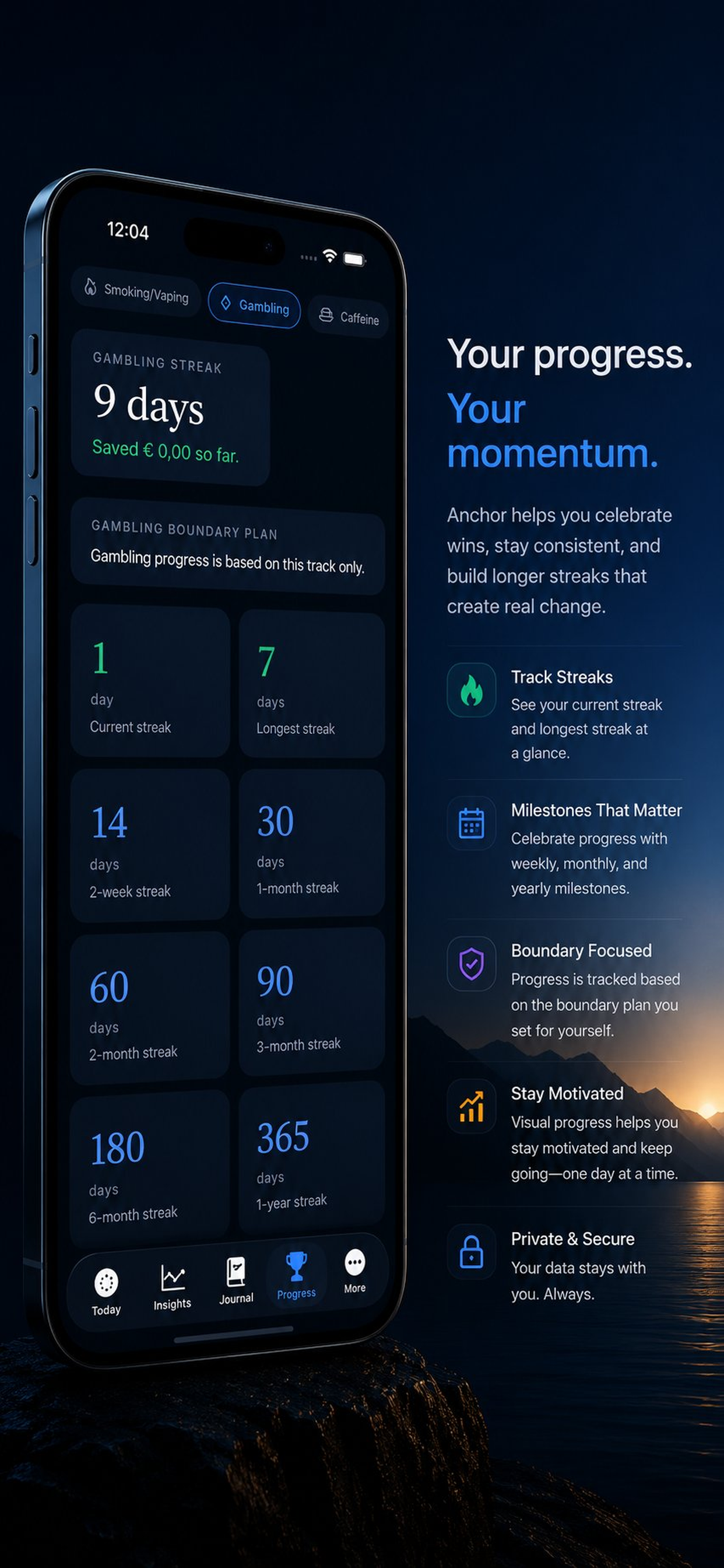
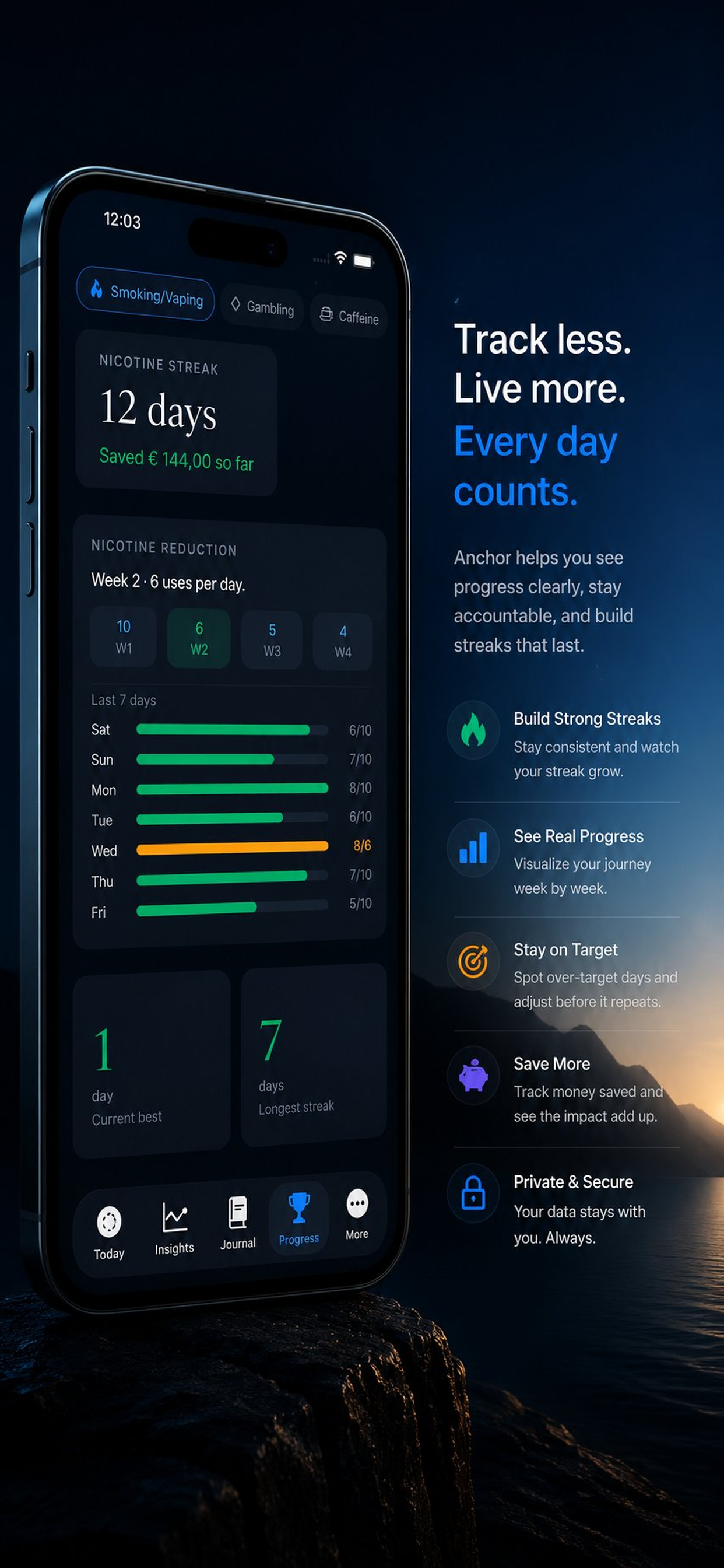
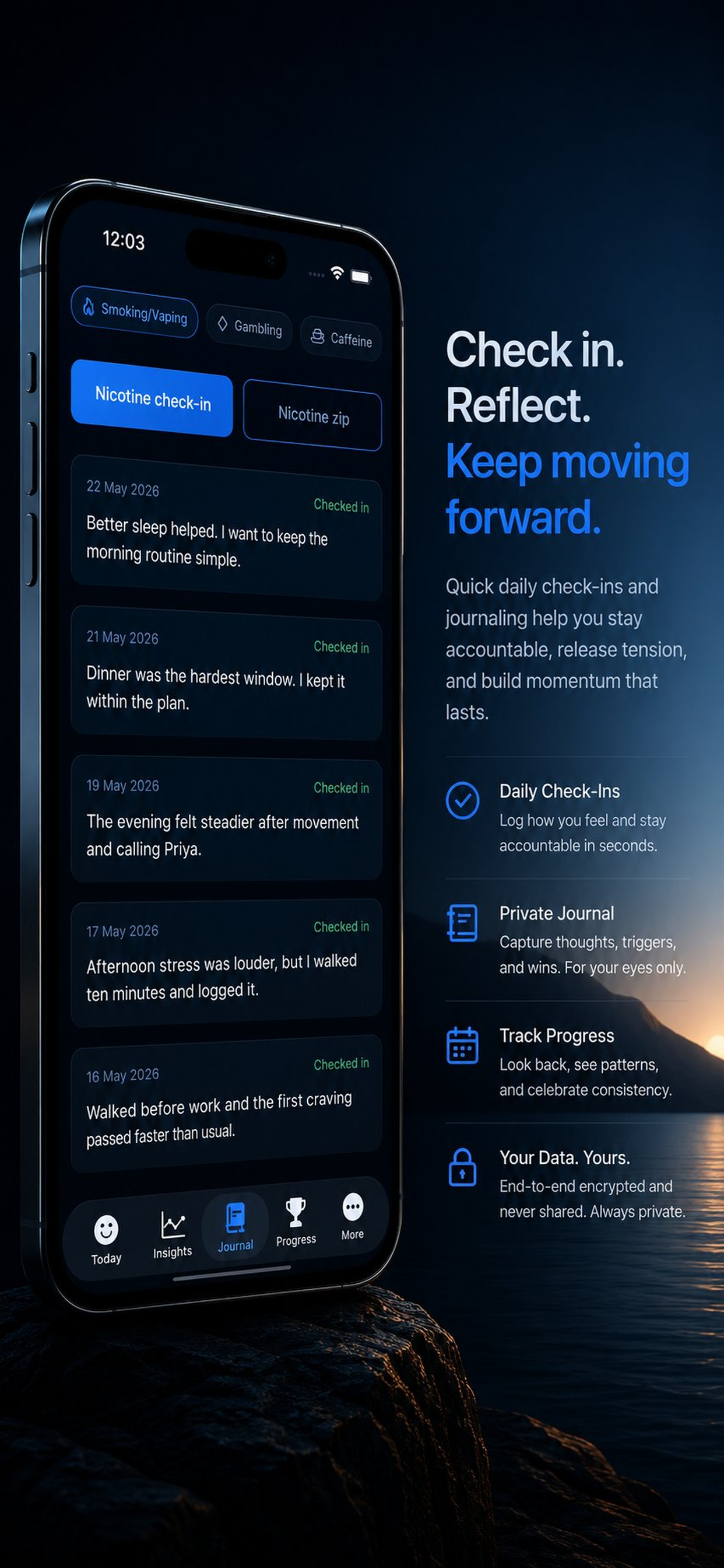
Anchor screenshots

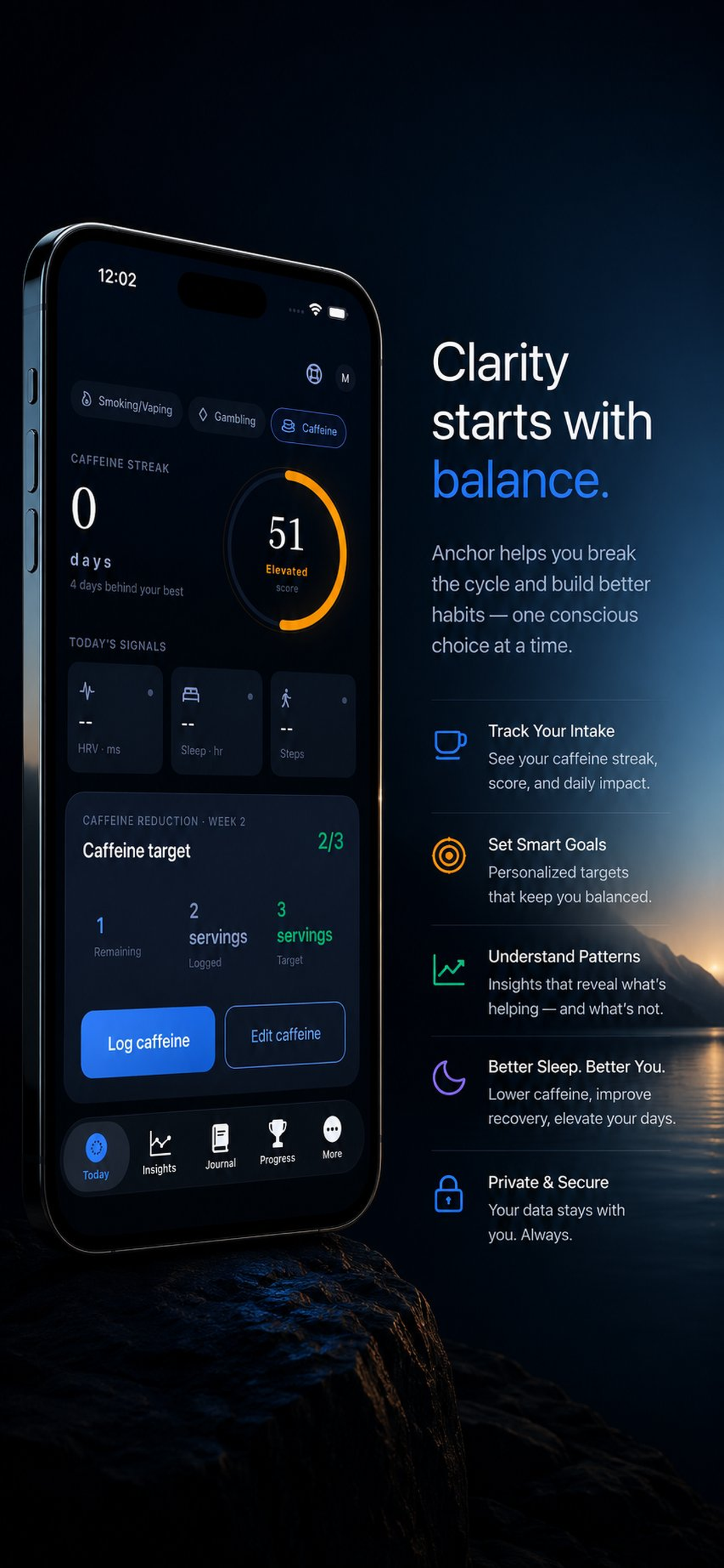
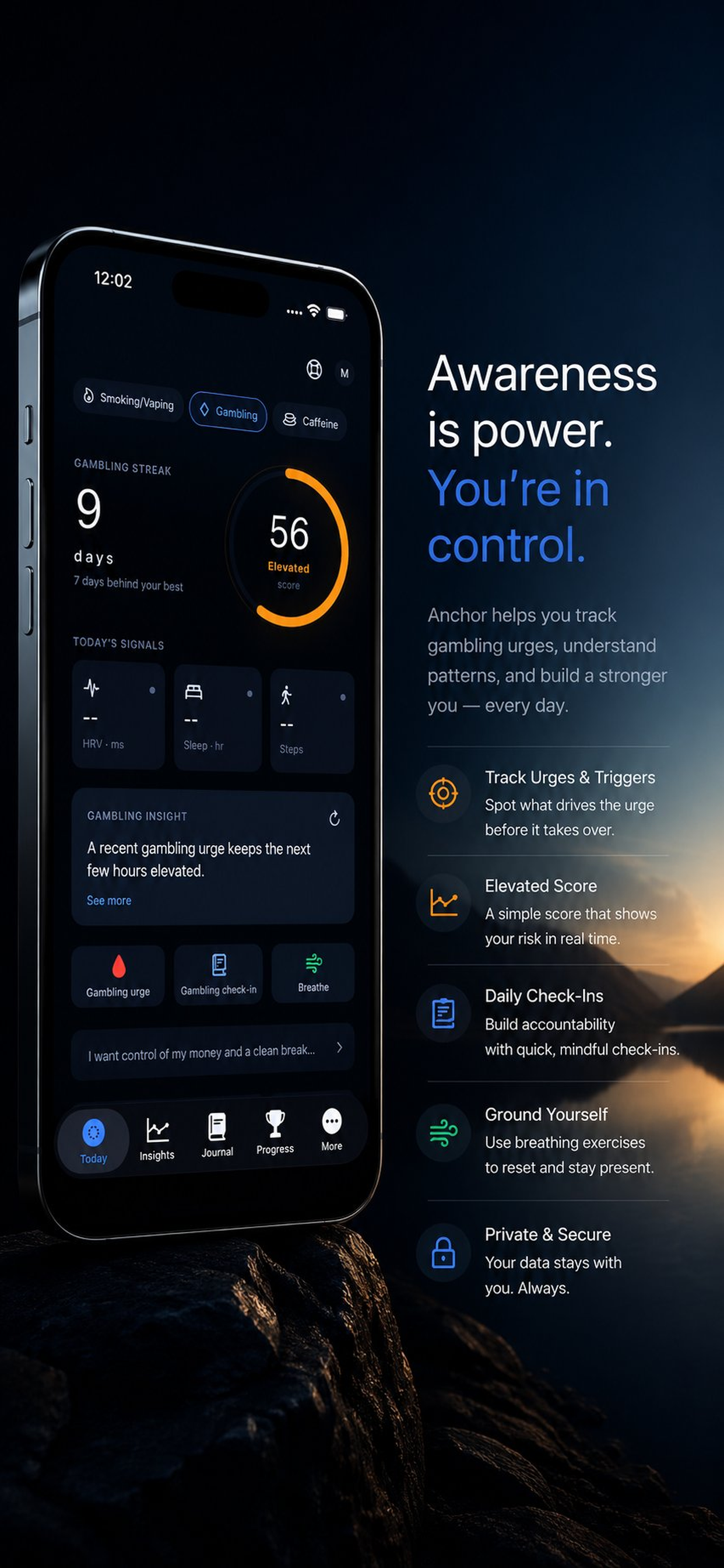
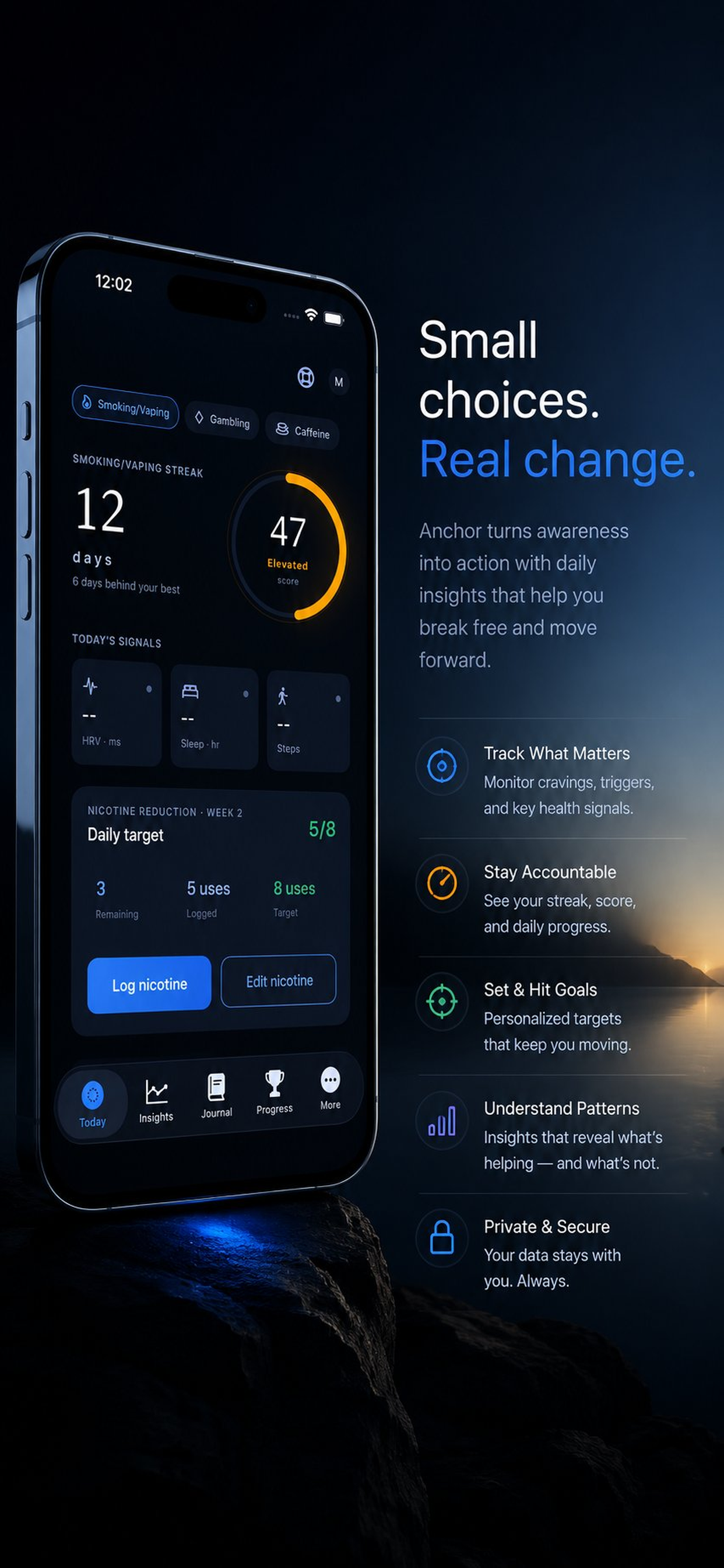
12 mapped assets

Anchor developer-provided iPhone screenshot 1
Developer-provided asset
Anchor developer-provided iPhone screenshot 2
Developer-provided asset
Anchor developer-provided iPhone screenshot 3
Developer-provided asset
Anchor developer-provided iPhone screenshot 4
Developer-provided asset
Anchor developer-provided iPhone screenshot 5
Developer-provided asset
Anchor developer-provided iPhone screenshot 6
Developer-provided asset
Features

Evaluate the core product surface

These are portfolio-level feature summaries. Use the live App Store listing and the app itself to confirm the current feature set before adopting it into a recurring workflow.

Feature page

No account required

Use the core recovery workflow without creating an app account or joining a social feed.

Read-only HealthKit context

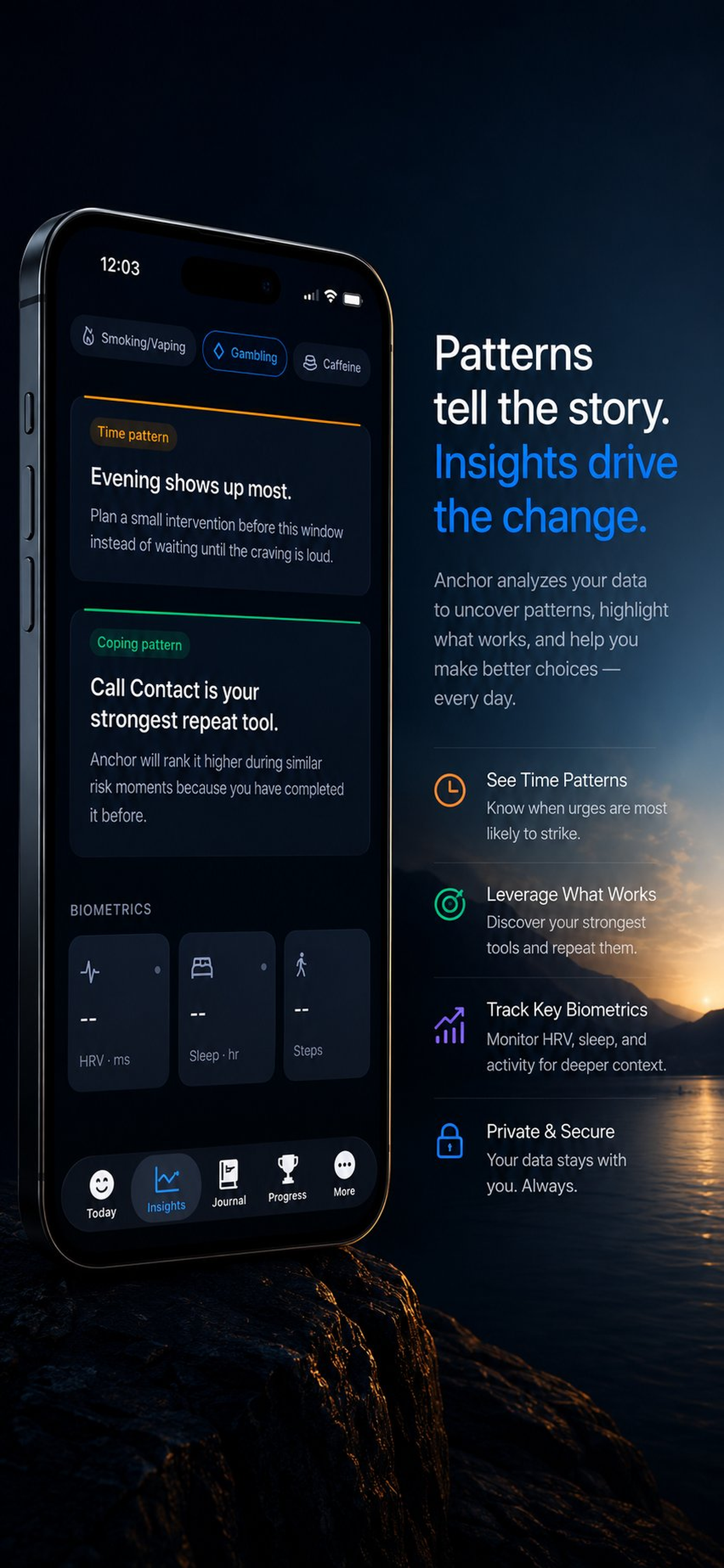
With permission, Anchor reads recovery-relevant signals like sleep, HRV, resting heart rate, and steps without writing recovery data back to HealthKit.

Anchor Score

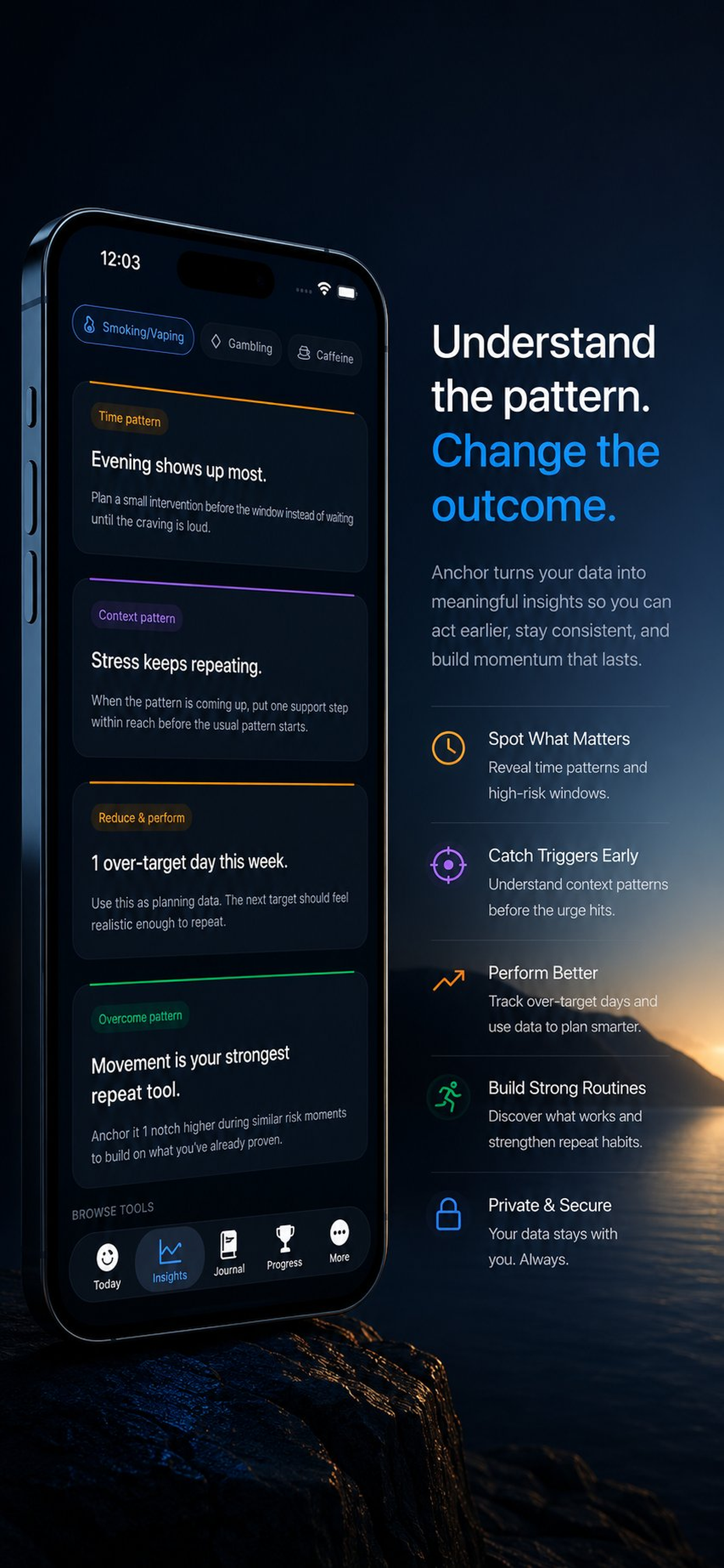
A local wellness indicator combines check-ins, cravings, slips, and biometric context to surface support windows.

Craving triage

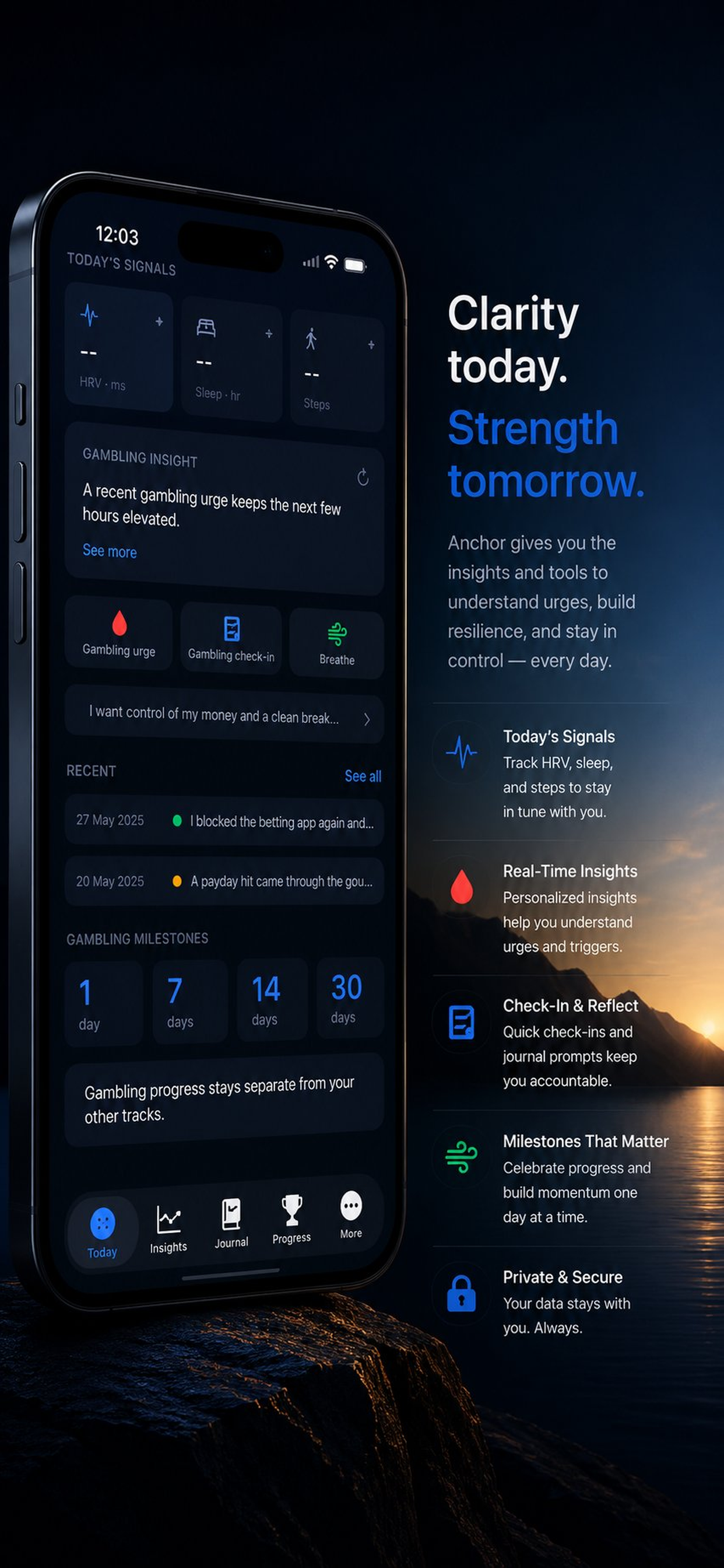
Move quickly into breathing, journaling, movement, personal reasons, or crisis resources when an urge spikes.

Pre-quit reduction planning

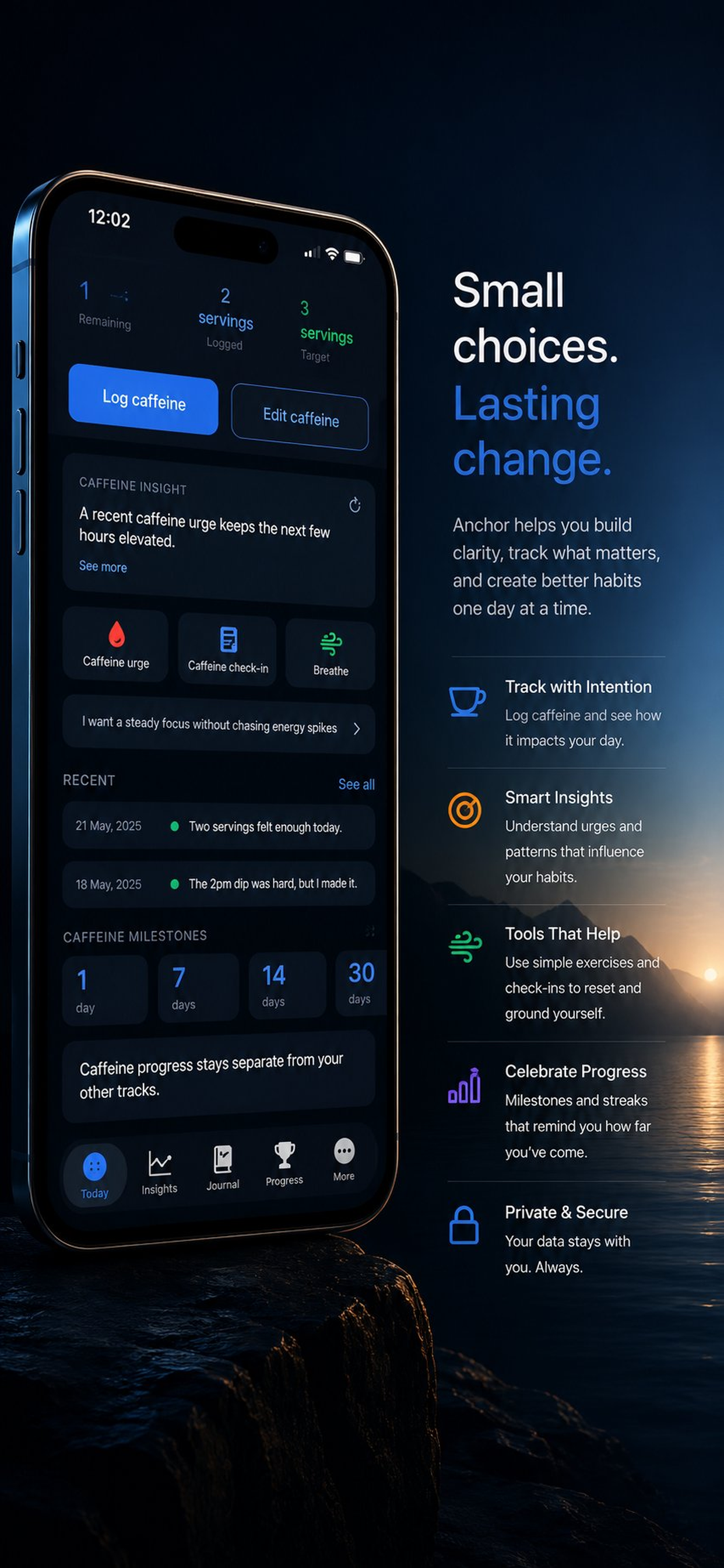
Start before day zero with a realistic reduction options that records targets, actual use, and trigger context.

Private journal and reports

Track mood, cravings, slips, and notes locally, then export a user-controlled summary when you choose.

What to verify

Confirm exports, permissions, platform requirements, and any workflow limits inside the current App Store listing and app build.

Privacy and support

Review the app-specific privacy, terms, and support pages before using the app for sensitive records.

Related hubs

Guides

All Anchor marketing guides

Every indexable guide and comparison page for this app stays linked from the product page so search visitors can move between app fit, support, and alternatives.

comparison hub

Anchor comparisons

Head-to-head alternatives and fit guidance for Anchor.

Open page

guide

Quit Habit Tracker App for iPhone

A focused guide to Anchor as an iPhone app for quit habit tracker workflows.

Open page

guide

Quit Habit Tracker App for Mobile Workflows

How Anchor supports mobile-first work where the user needs a focused app instead of a broad platform.

Open page

guide

Anchor Feature Guide

A source-backed feature guide for Anchor, based on the live App Store listing and portfolio product data.

Open page

guide

Anchor Setup and Support Guide

Where to start with Anchor, what to check first, and where to find app-specific support routes.

Open page

guide

Anchor Privacy and Data Handling Guide

A conservative overview of how to evaluate privacy, local data, exports, and support pages for Anchor.

Open page

guide

Quit Habit Tracker App for wellness & insight

How Anchor fits the wellness & insight part of the iOS Builder app portfolio.

Open page

guide

Quit Habit Tracker App with No account required

A page focused on no account required inside Anchor and why that capability matters for the app workflow.

Open page

guide

Quit Habit Tracker App with Read-only HealthKit context

A page focused on read-only healthkit context inside Anchor, using the live app listing as the source anchor.

Open page

guide

Quit Habit Tracker App with Anchor Score

A page focused on anchor score inside Anchor for users comparing workflow fit.

Open page

guide

Anchor App Store Listing Guide

A quick guide to the live Anchor App Store listing, support page, privacy page, and terms route.

Open page

comparison

Anchor vs I Am Sober

A comparison between the Anchor no-account, HealthKit-informed recovery workflow and the I Am Sober sobriety tracker and community experience.

Open page

comparison

Anchor vs Reframe

A comparison between the Anchor private multi-habit recovery companion and the Reframe alcohol-focused reduction program with coaching options.

Open page

comparison

Anchor vs Smoke Free

A comparison between the Anchor broader private recovery companion and smoking-first quit apps that focus on tips, milestones, cravings, and smoke-free progress.

Open page

comparison

Anchor vs Days Sobriety Counter

A comparison between the Anchor craving-support system and Days, a simpler sobriety counter for people who primarily want to count time.

Open page

comparison

Anchor vs Nomo

A comparison between the Anchor local-first recovery support and Nomo sobriety clocks, accountability partner, and encouragement features.

Open page

comparison

Anchor vs Sunnyside

A comparison between the Anchor iOS-native private recovery companion and Sunnyside mindful drinking program with planning, text prompts, and coaching.

Open page

Frequently asked questions about Anchor

No. Anchor is designed as a no-account iPhone workflow. Core recovery data is stored locally on your device, and exports are user-controlled.
No. Anchor is a wellness and habit-support app. It does not diagnose, treat, cure, or prevent any condition, and it is not a substitute for medical care, therapy, emergency services, or qualified recovery support.
Anchor requests read-only access to recovery-relevant summaries such as sleep, HRV, resting heart rate, and steps. It does not write recovery data to HealthKit.
Yes. Anchor includes a pre-quit reduction planner so you can track targets, actual use, and trigger context before setting or reaching day zero.
Yes. Anchor can generate local recovery summaries that you choose to export through the iOS share sheet. There is no required clinician portal or automatic sharing.
Related apps

More focused apps in nearby workflows

Live on the App Store
AdaptIQ

AdaptIQ

A Personal AI That Learns You

AdaptIQ is a privacy-first iOS AI companion that learns from your conversations, preferences, and optional HealthKit or Calendar context to deliver more personal guidance over time. Chats, learning signals, and reports stay local by default, with clear controls for export, reset, and purchase-based integrations.

Personal AIWeekly growth reportsPrivacy controls
Live on the App Store
CPAP Insight

CPAP Insight

CPAP sleep therapy tracker

CPAP Insight is a native iPhone app for CPAP and BiPAP users who want more than a compliance badge. It imports nightly session data from SD cards and ResMed myAir, surfaces AHI trends, leak rates, and pressure analysis, integrates with Apple Health for SpO2 and HRV context, and generates clean summaries ready for review at a sleep clinic.

AHI trend trackingNightly session breakdowns
Live on the App Store
Drift

Drift

Sleep better. Wake up with clarity.

Private iPhone sleep tracker with night sessions, manual nap logging, daily energy scoring, morning coaching, ambient sounds, and smart alarm tools.

Night + nap trackingDaily energy scoreMorning coaching