
Skip to content
PulseCheck
Live on the App Store
PulseCheck: Nurse Pay Tracker

Log the shift. See the paycheck estimate.

PulseCheck is an iPhone-first utility for U.S. registered nurses that combines a shift calendar with real-time gross pay estimation, all in a narrow, offline-first workflow.

Published on the App Store under RAPHAEL MOMANYI. Last reviewed for portfolio context on May 23, 2026.

Portfolio context

Primary action is the verified App Store listing, not a purchase-disclosure funnel.

Support, privacy, and terms pages are app-specific and linked from this page.

Guide pages are written as fit guidance with source links and conservative claims.

Navigate PulseCheck

Move between the main app page, support, features, and legal pages without backing out to the main directory.

Browse all apps
Workflow fit

What PulseCheck is built to help with

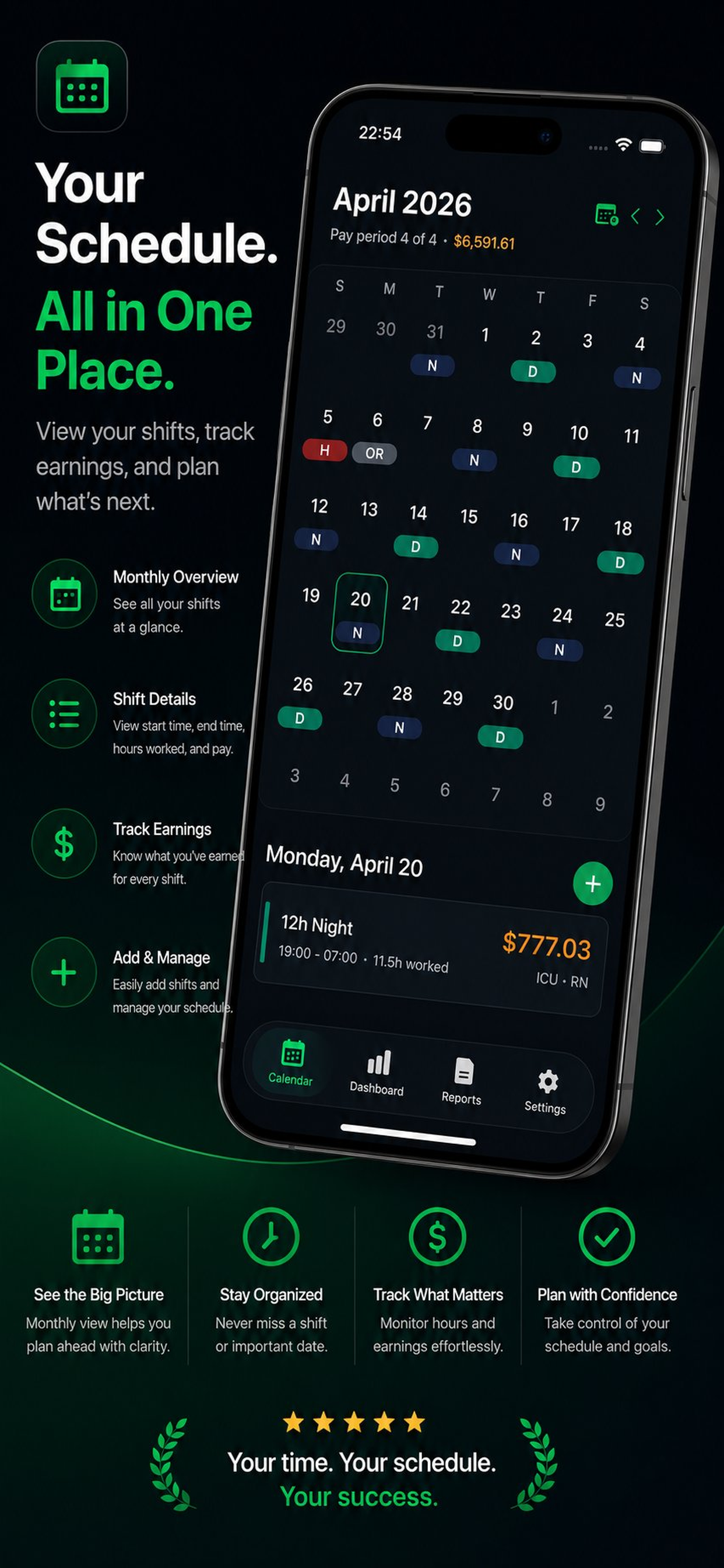
A nurse-specific shift calendar and gross pay estimator for iPhone. Configure overtime rules, night and weekend differentials, holiday multipliers, and shift templates so you can see what the current pay period is actually worth before payroll lands.

Best for

nursesshift workerspaycheck reviewers

Workflow tags

shift logsgross pay estimatesdifferential tracking

Product visuals

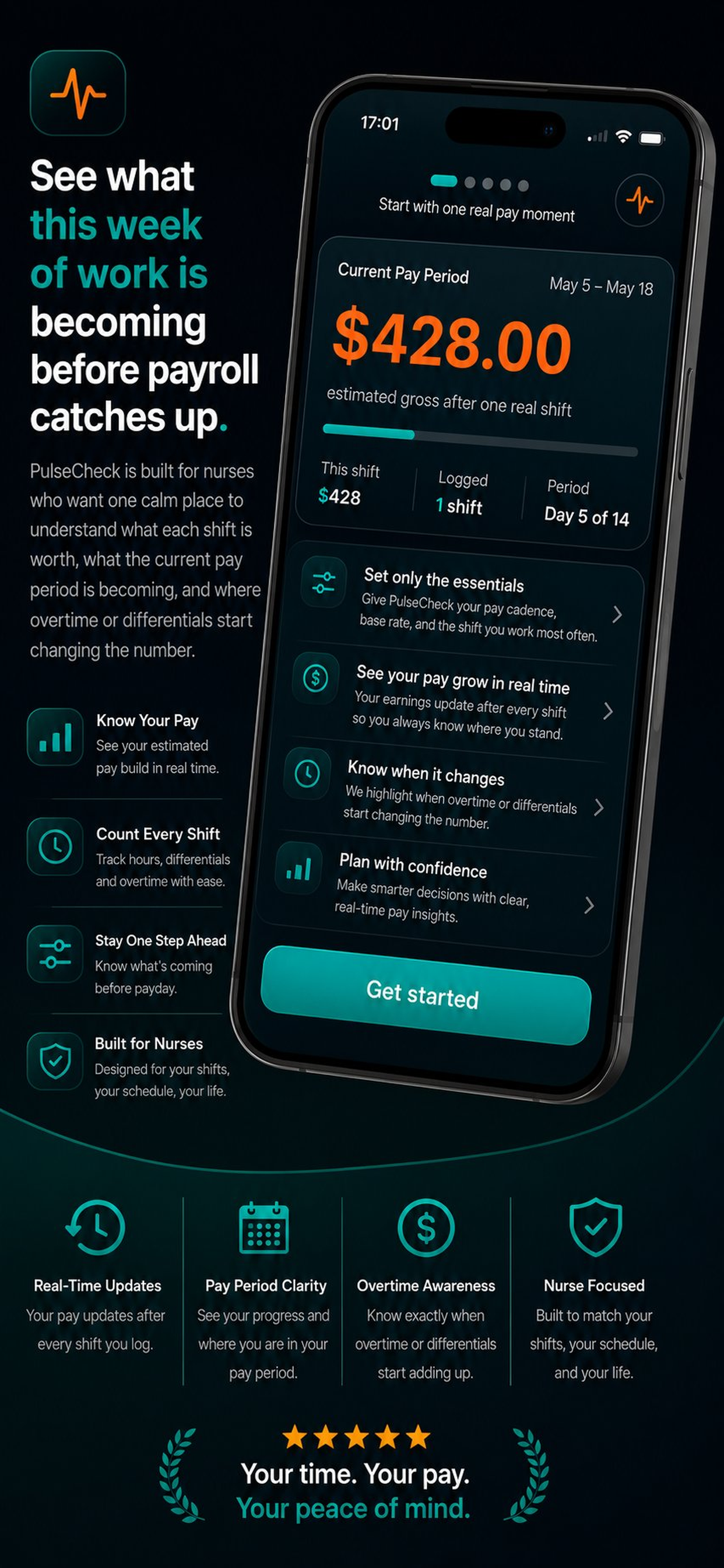
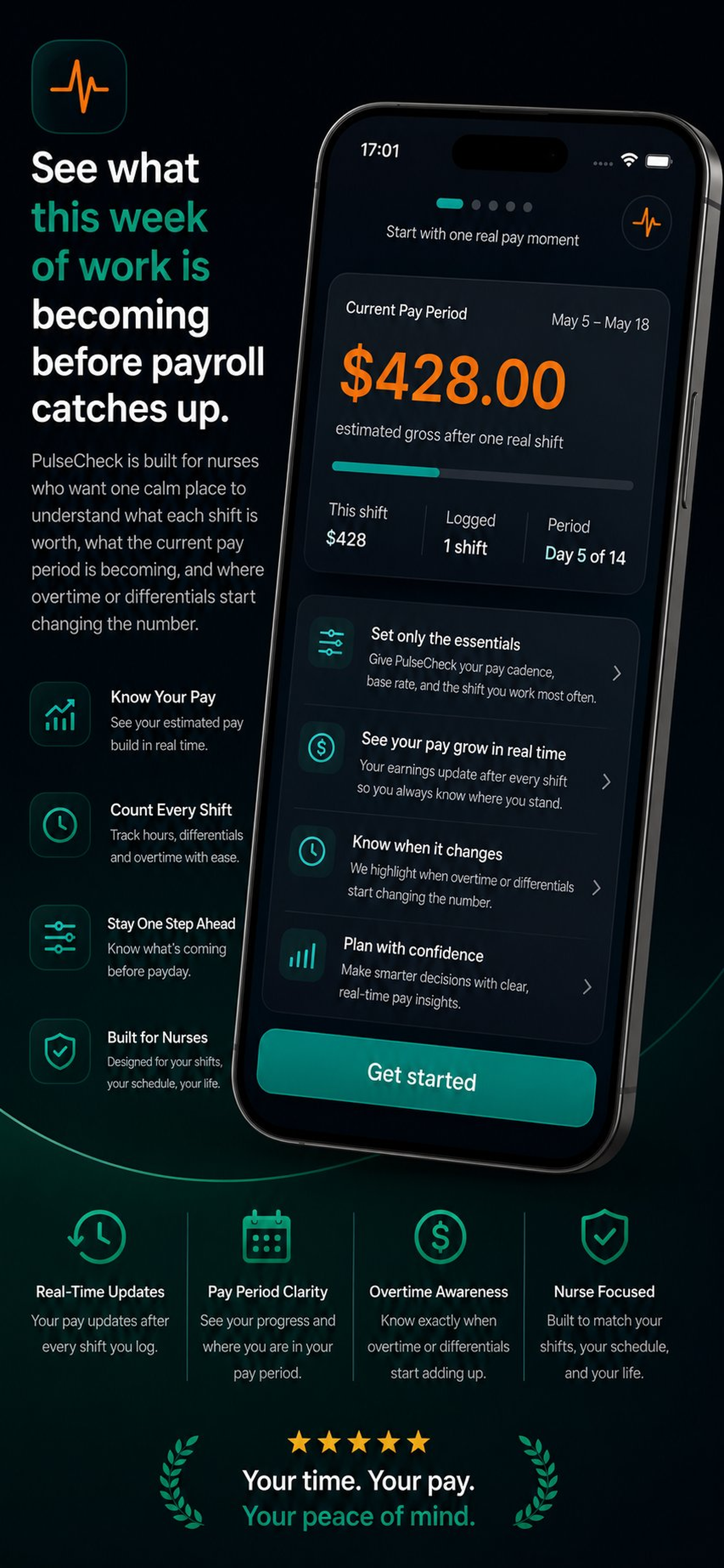
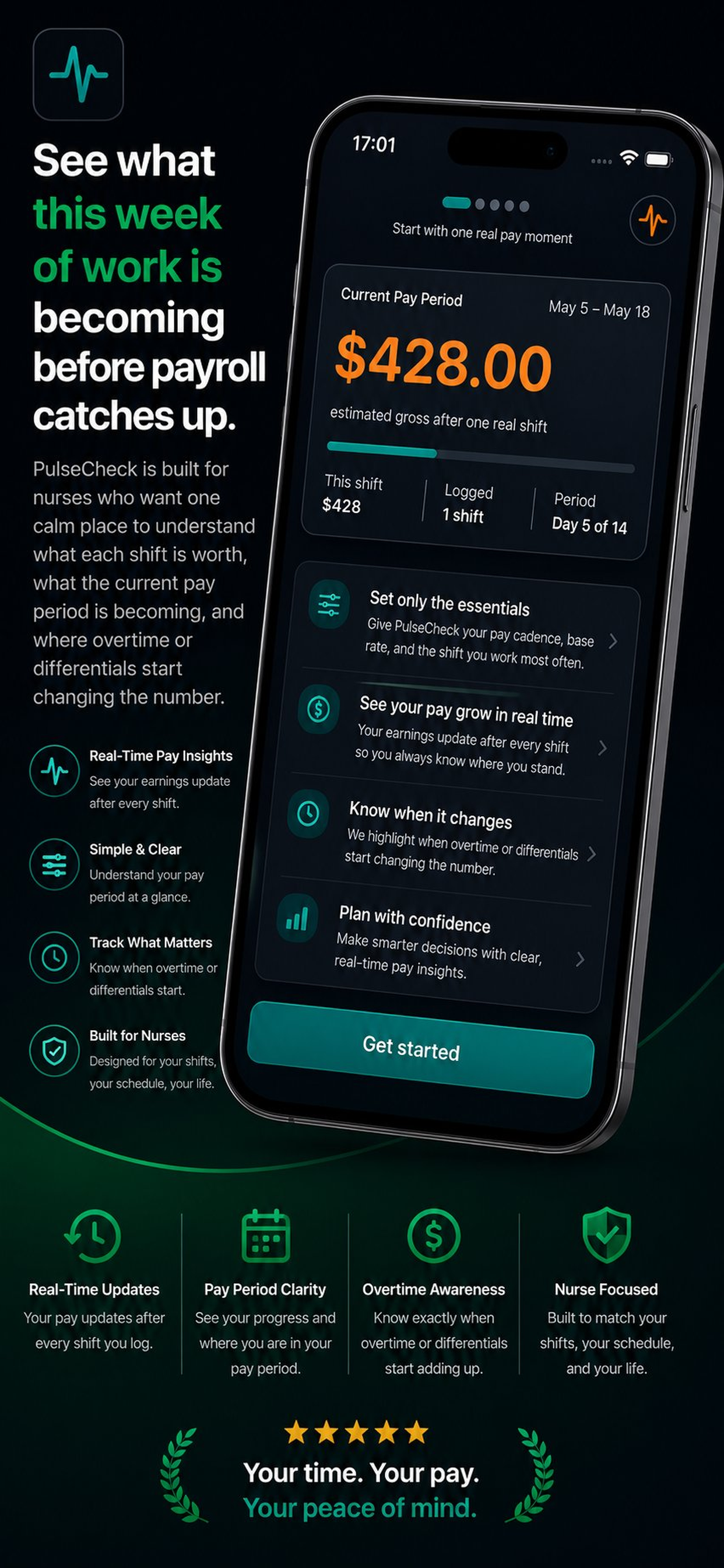
PulseCheck screenshots

5 mapped assets

PulseCheck developer-provided iPhone screenshot 1
Developer-provided asset
PulseCheck developer-provided iPhone screenshot 2
Developer-provided asset
PulseCheck developer-provided iPhone screenshot 3
Developer-provided asset
PulseCheck developer-provided iPhone screenshot 4
Developer-provided asset
PulseCheck developer-provided iPhone screenshot 5
Developer-provided asset
Features

Evaluate the core product surface

These are portfolio-level feature summaries. Use the live App Store listing and the app itself to confirm the current feature set before adopting it into a recurring workflow.

Feature page

Gross pay estimation

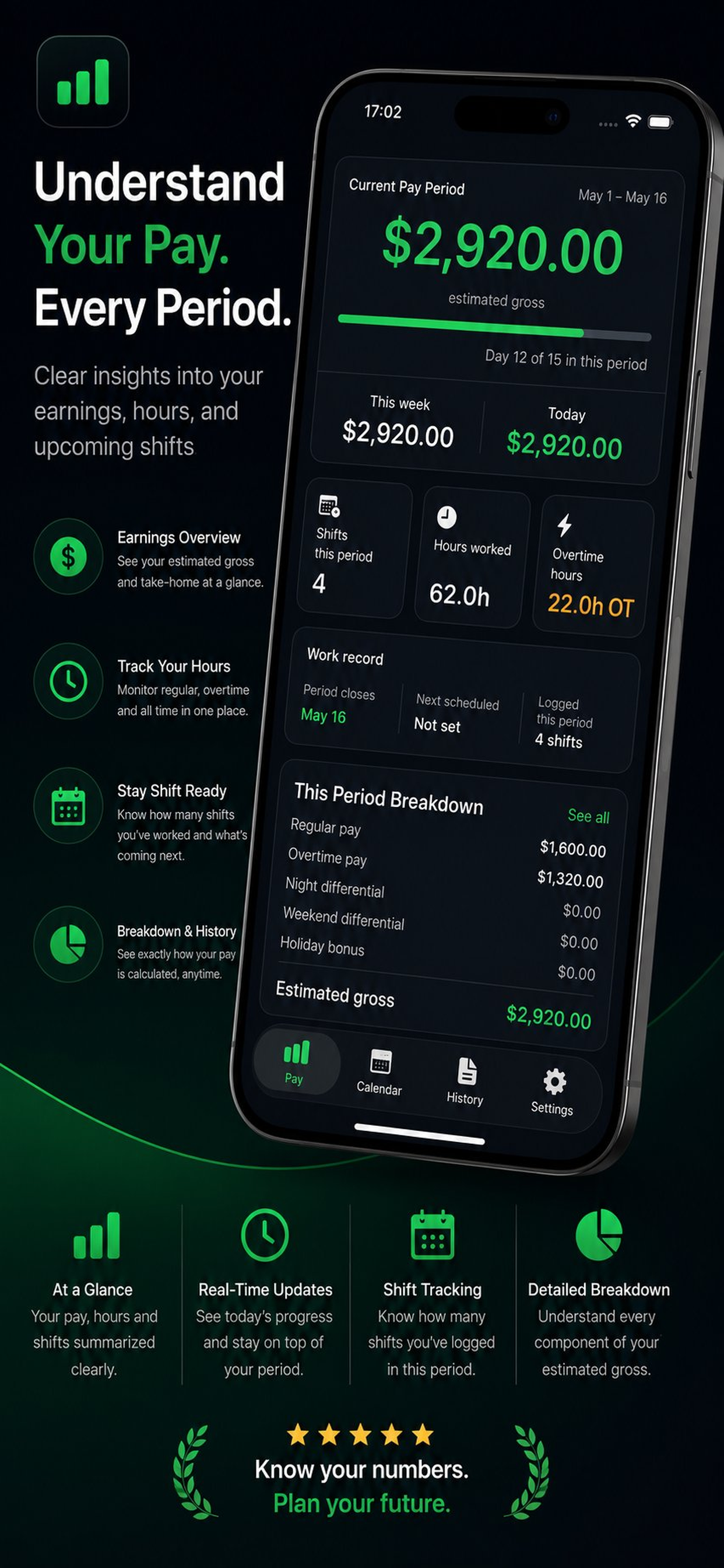
Preview the current pay period using base rate, overtime mode, night differential, weekend rules, and holiday multipliers.

Fast shift logging

Create reusable shift templates so returning users can log another shift in seconds instead of rebuilding each entry.

Explainable pay breakdowns

Tap any total to inspect regular hours, overtime hours, and each differential component behind the number.

Flexible pay profiles

Configure one or more job profiles with cadence, overtime thresholds, unpaid breaks, and hospital-specific differential logic.

Offline-first by default

All core workflows run locally with SwiftData. No backend, no hospital integration, and no account required in v1.

Privacy without noise

Built as a focused nurse utility rather than a social network, staffing marketplace, or backend-heavy SaaS product.

What to verify

Confirm exports, permissions, platform requirements, and any workflow limits inside the current App Store listing and app build.

Privacy and support

Review the app-specific privacy, terms, and support pages before using the app for sensitive records.

Related hubs

Guides

All PulseCheck marketing guides

Every indexable guide and comparison page for this app stays linked from the product page so search visitors can move between app fit, support, and alternatives.

comparison hub

PulseCheck comparisons

Head-to-head alternatives and fit guidance for PulseCheck.

Open page

guide

Nurse Pay Tracker App for iPhone

A focused guide to PulseCheck as an iPhone app for nurse pay tracker workflows.

Open page

guide

Nurse Pay Tracker App for Mobile Workflows

How PulseCheck supports mobile-first work where the user needs a focused app instead of a broad platform.

Open page

guide

PulseCheck Feature Guide

A source-backed feature guide for PulseCheck, based on the live App Store listing and portfolio product data.

Open page

guide

PulseCheck Setup and Support Guide

Where to start with PulseCheck, what to check first, and where to find app-specific support routes.

Open page

guide

PulseCheck Privacy and Data Handling Guide

A conservative overview of how to evaluate privacy, local data, exports, and support pages for PulseCheck.

Open page

guide

Nurse Pay Tracker App for wellness & insight

How PulseCheck fits the wellness & insight part of the iOS Builder app portfolio.

Open page

guide

Nurse Pay Tracker App with Gross pay estimation

A page focused on gross pay estimation inside PulseCheck and why that capability matters for the app workflow.

Open page

guide

Nurse Pay Tracker App with Fast shift logging

A page focused on fast shift logging inside PulseCheck, using the live app listing as the source anchor.

Open page

guide

Nurse Pay Tracker App with Explainable pay breakdowns

A page focused on explainable pay breakdowns inside PulseCheck for users comparing workflow fit.

Open page

guide

PulseCheck App Store Listing Guide

A quick guide to the live PulseCheck App Store listing, support page, privacy page, and terms route.

Open page

comparison

PulseCheck vs NurseGrid

A comparison between PulseCheck’s nurse pay estimation workflow and NurseGrid’s schedule-first nurse calendar experience.

Open page

comparison

PulseCheck vs PayMeRN

A comparison between PulseCheck’s iPhone-first pay workflow and PayMeRN’s nurse income-tracking positioning.

Open page

Frequently asked questions about PulseCheck

PulseCheck is built for U.S. registered nurses who want a fast, nurse-specific way to log shifts and estimate gross pay without relying on spreadsheets or hospital integrations.
No. PulseCheck is focused on gross pay estimation only. Taxes, deductions, benefits, and employer payroll reconciliation are explicitly out of scope in v1.
Yes. The product is built around configurable pay rules such as daily or weekly overtime, night differential windows, weekend add-ons, and holiday multipliers.
No. The PRD requires that every user sees at least one real paycheck estimate before any purchase screen is shown. The starter access stays usable, with limits on longer history and certain advanced features.
Related apps

More focused apps in nearby workflows

Live on the App Store
AdaptIQ

AdaptIQ

A Personal AI That Learns You

AdaptIQ is a privacy-first iOS AI companion that learns from your conversations, preferences, and optional HealthKit or Calendar context to deliver more personal guidance over time. Chats, learning signals, and reports stay local by default, with clear controls for export, reset, and purchase-based integrations.

Personal AIWeekly growth reportsPrivacy controls
Live on the App Store
Anchor

Anchor

Private Recovery Companion

Anchor is a native iPhone recovery and habit-support app for people reducing, quitting, or maintaining sobriety. It keeps core recovery data local, does not require an app account, reads HealthKit signals only with permission, and helps users move through cravings with fast interventions, journaling, slip logs, crisis resources, and private exports.

No accountHealthKitCraving supportLocal-first
Live on the App Store
CPAP Insight

CPAP Insight

CPAP sleep therapy tracker

CPAP Insight is a native iPhone app for CPAP and BiPAP users who want more than a compliance badge. It imports nightly session data from SD cards and ResMed myAir, surfaces AHI trends, leak rates, and pressure analysis, integrates with Apple Health for SpO2 and HRV context, and generates clean summaries ready for review at a sleep clinic.

AHI trend trackingNightly session breakdowns